Now in private beta
· Sunday

Run the house without carrying it all in your head.

Calendar, chores, groceries, bills, and the school-flyer chaos — captured in seconds, shared with the whole family, in one calm app.

Join the beta

Free to start · no credit card · works on every device

Tap to try it — a demo, your microphone stays off

Pick up Nina at 3:15, add milk, and remind Marcus about recycling

Nothing saves until you say so.
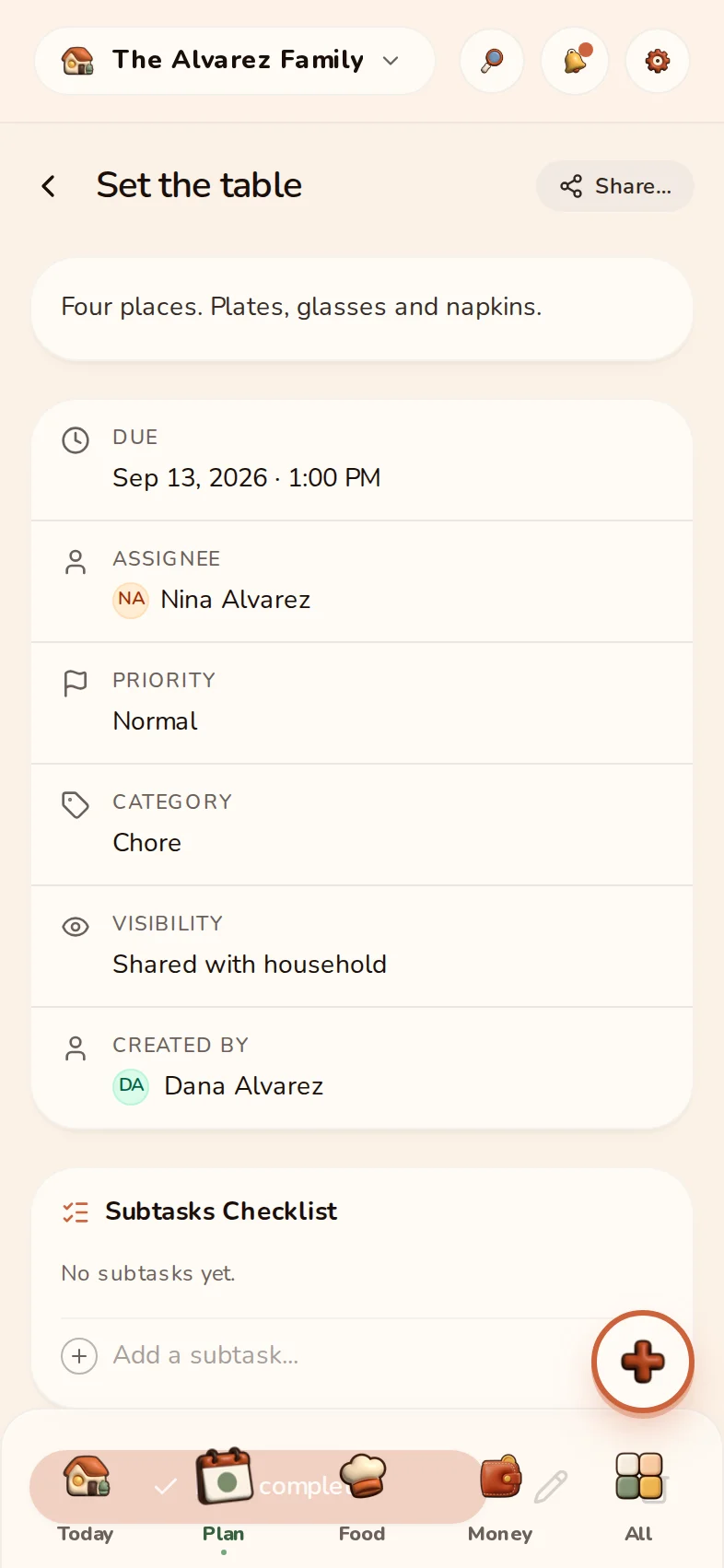
The HomyIQ Today screen with the day's plan, tonight's dinner, and the shopping list

The Alvarez family · example household

Then it is simply there.

Nothing saves until you say so. Each item shows what HomyIQ understood, and one tap confirms it.

Review firstThen on Today
  • No ads, ever
  • Your data is never sold
  • 100+ languages and regions, right-to-left included
The school-flyer test

Chaos in. A plan out.

A school flyer at the gate. A bill in your inbox. A sentence said out loud while cooking. Each one becomes the right thing on the right list.

Pizza Day & Spring Field Trip
  • Friday, June 26 — Riverside Park
  • Permission slip due Tuesday
  • Bring $5 for pizza
Spring field trip — Riverside Park
Friday, June 26
Calendar
Sign the permission slip — due Tuesday
Task
Pack $5 for pizza day
Task

Sorted — into the calendar, the chore list, and the shopping list.

The HomyIQ Inbox screen: captured items waiting for a one-tap review

The Alvarez family · example household

Photo → calendar

Snap a school flyer or a clinic card. In seconds, every date becomes an event you confirm with a swipe.

Email → bill

Forward a bill to your household address. The amount, payee, and due date land on Today, ready to confirm.

Voice → tasks

“Buy milk and eggs for baking” becomes a task and two list items. Hands full, sorted.

One calm inbox

Everything captured waits in one place. Swipe to confirm, swipe to dismiss. Nothing falls through.

Live capture from your own photos, emails, and voice is part of Premium — and free to feel during the 14-day trial.

Join the beta

Your first captures are free.

Dinner, handled together.

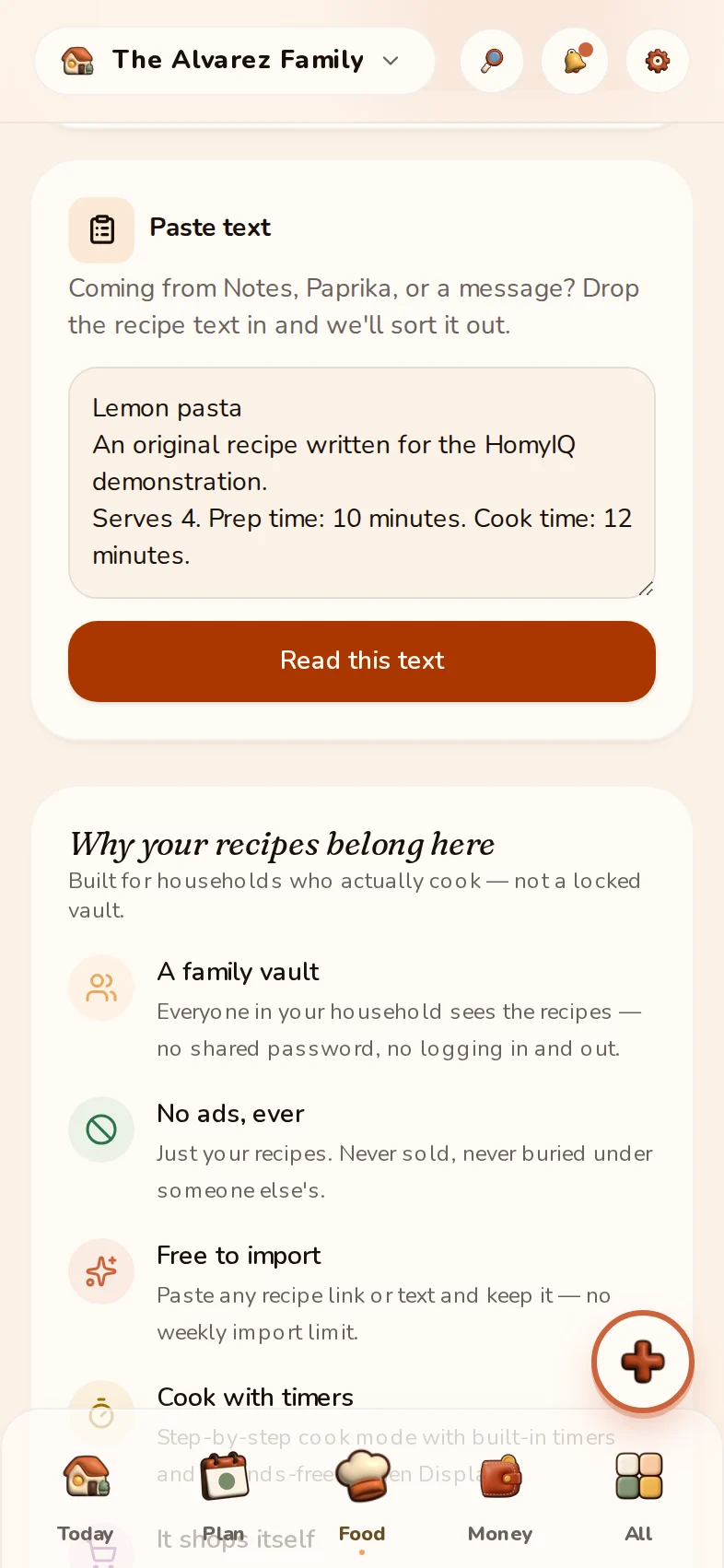
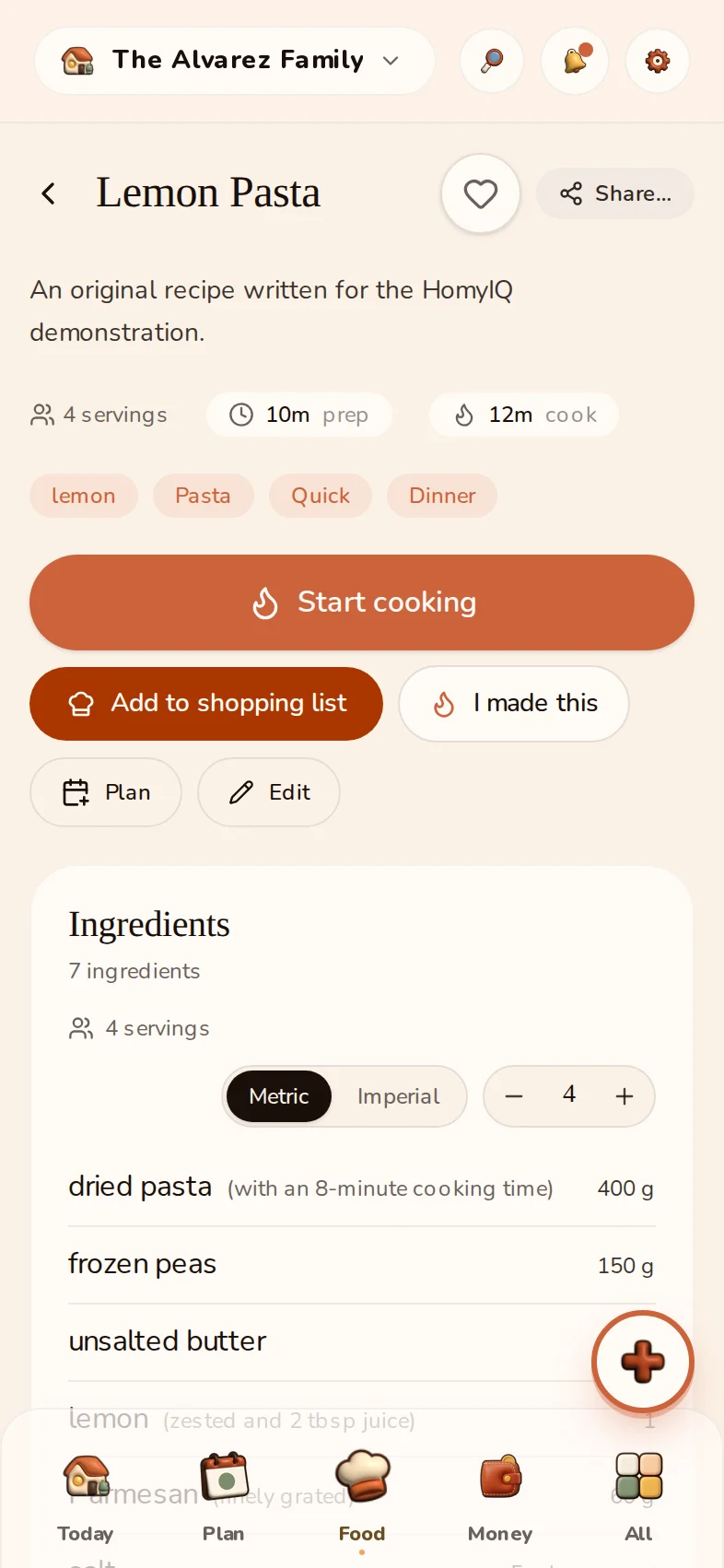
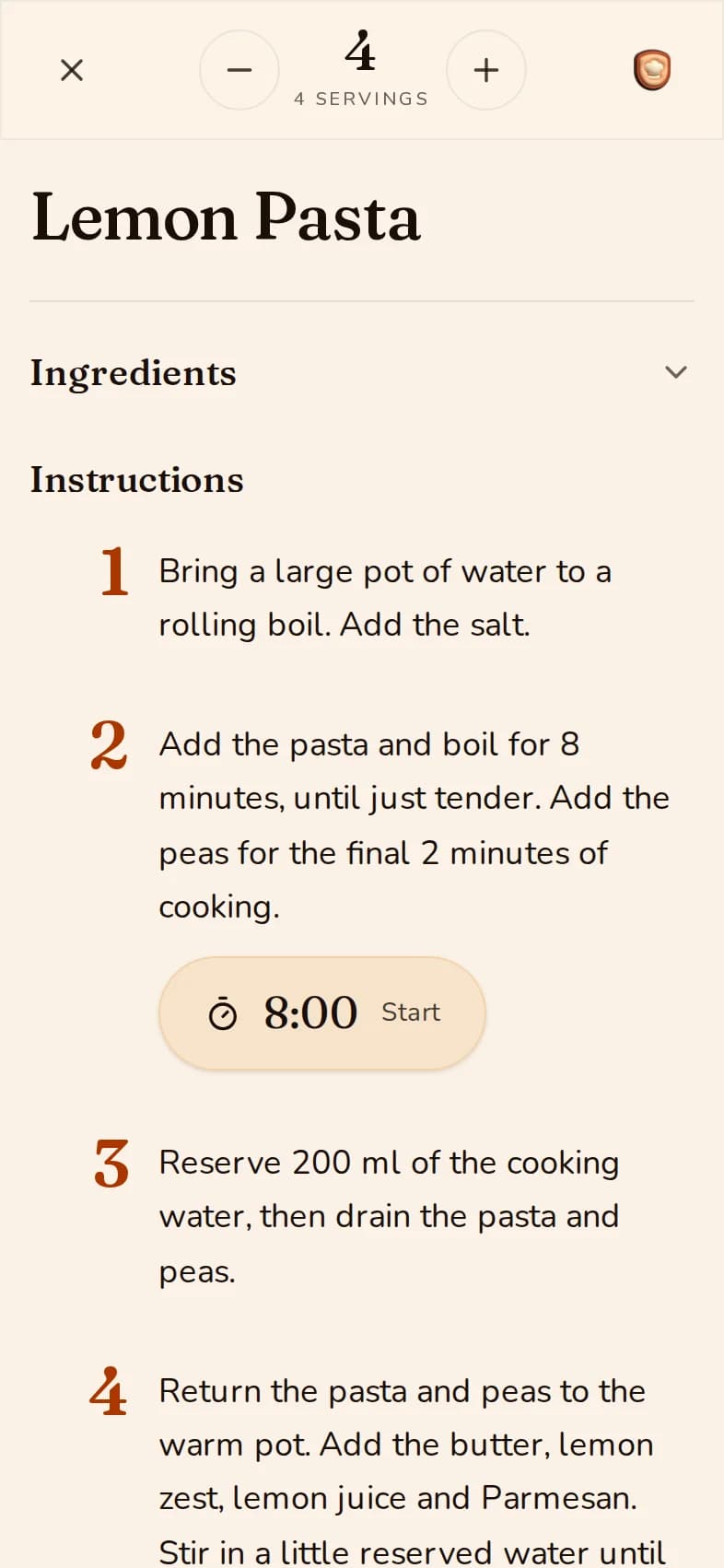
Save a recipe from anywhere, drop it on the week, and the shopping list writes itself.

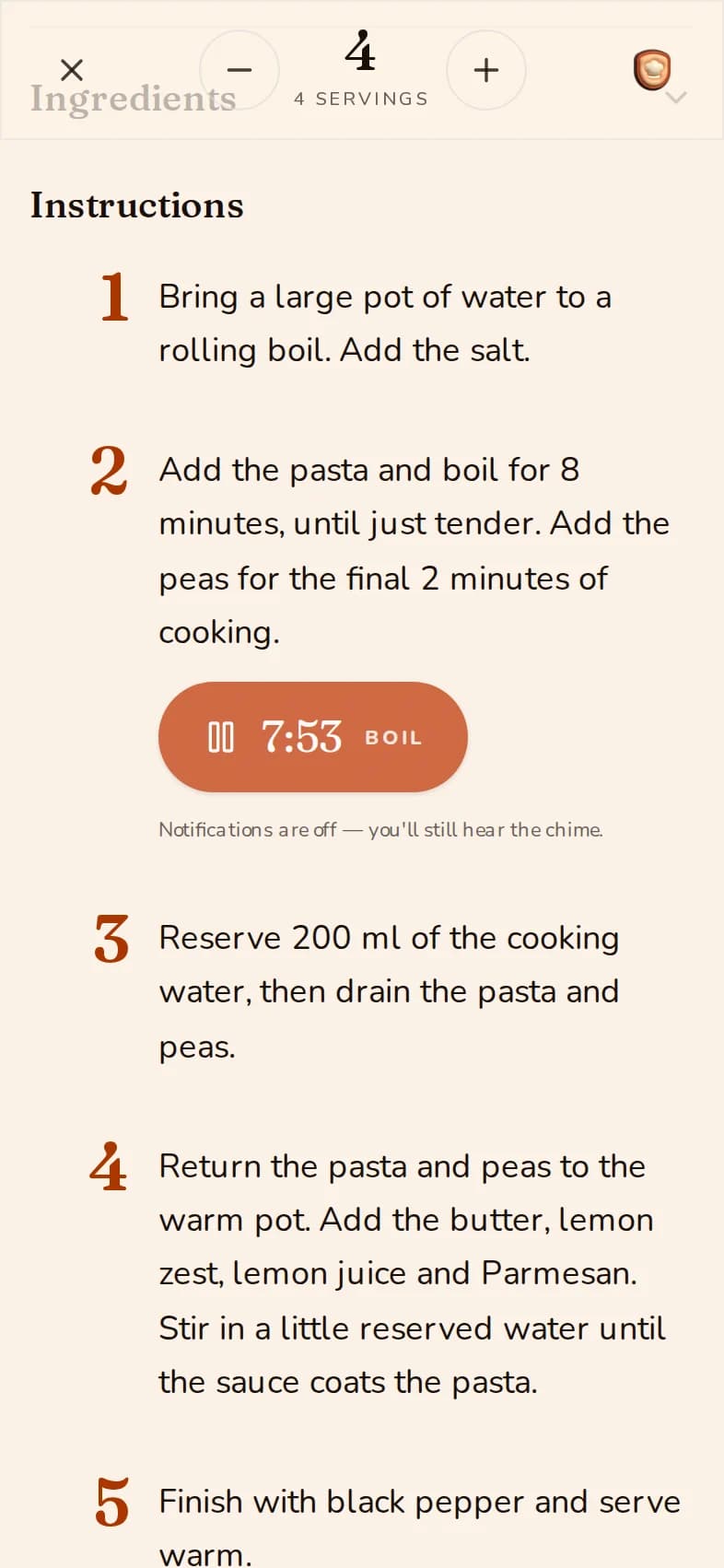
The HomyIQ Recipes screen
The HomyIQ meal plan for the week
The HomyIQ shopping list, with this week's groceries grouped by aisle
  1. 1

    Save it from anywhere

    A link, a photo of a cookbook page, or a recipe someone sent you.

  2. 2

    Plan the week in a tap

    Drop it on a day. Everyone sees what dinner is.

  3. 3

    The list writes itself

    Ingredients land on the shopping list, minus what the pantry already has.

The Alvarez family · example household

Join the beta

Recipes and lists are free for the whole household.

No more awkward math

Money, settled.

The household money picture — bills, who owes whom, and what's left this month — without a single spreadsheet. For two of you or a full house.

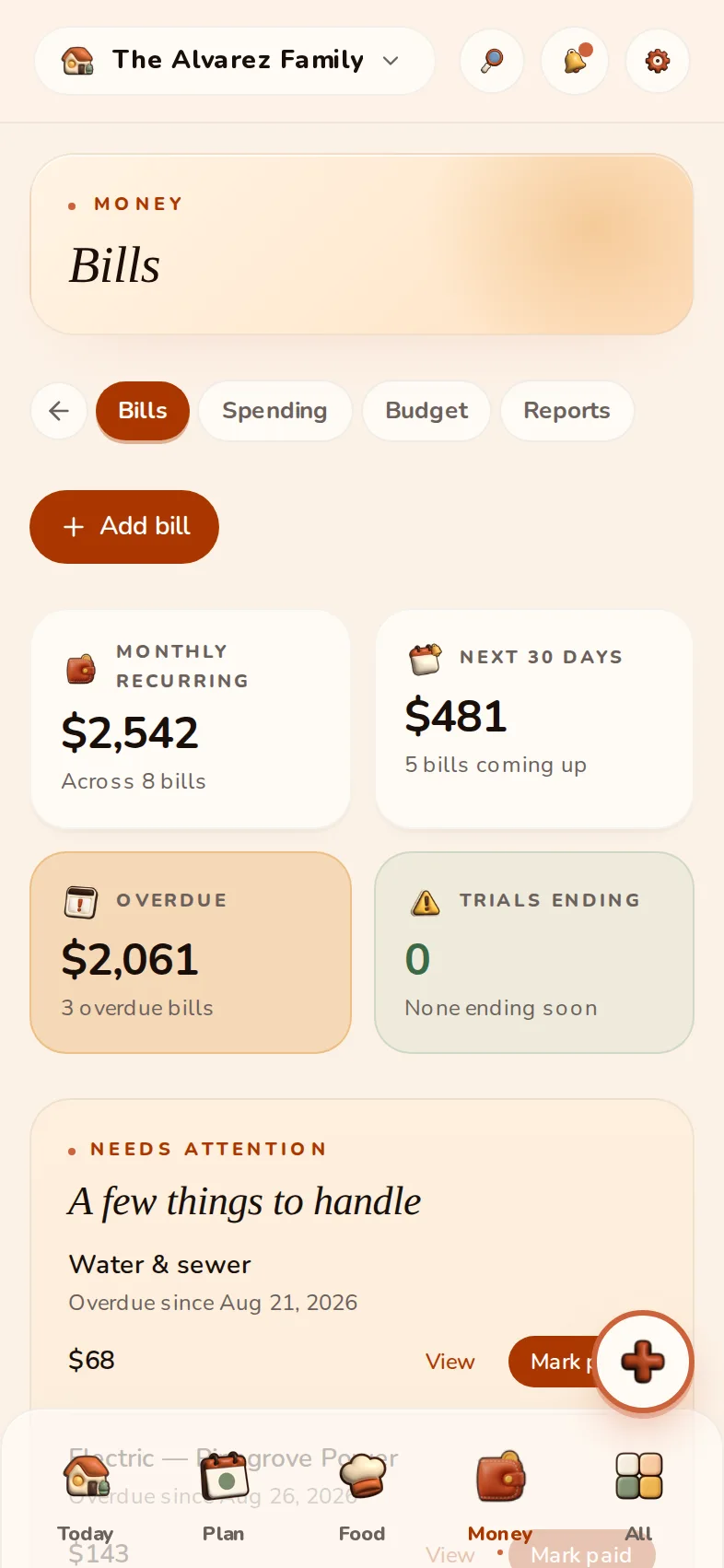
Bills, never late

One-time or recurring, with autopay flags and a clear next-30-days total at the top.

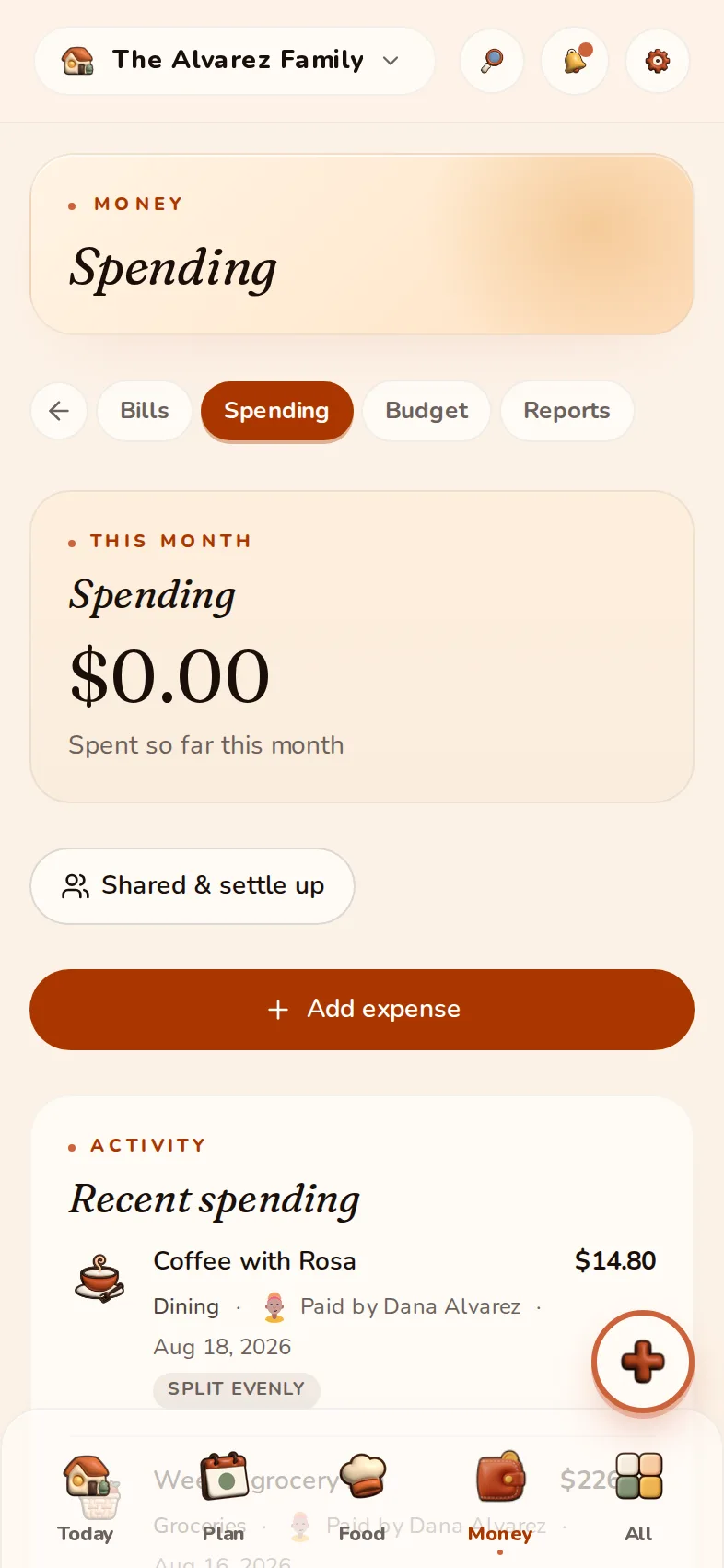
Split and settle up

Log a shared cost, split it your way, and see exactly who owes whom. Settle up in a tap.

Gentle spending targets

Set a soft monthly cap per category and watch your progress on Today — encouragement, not guilt.

RYou owe Rosa Alvarez $73
Settle up
The HomyIQ Bills screen: monthly recurring, the next 30 days, and one overdue bill
The HomyIQ shared-expenses screen showing a settle-up balance

The Alvarez family · example household

One home. Each person's language.

Grandma reads her view in Arabic. The kids use English. Same household, same plan. Large text, high contrast and right-to-left are real app modes, not a mock-up.

Preview a member's view

This preview changes only the example. The language switcher in the menu changes the whole site and carries into sign-up.
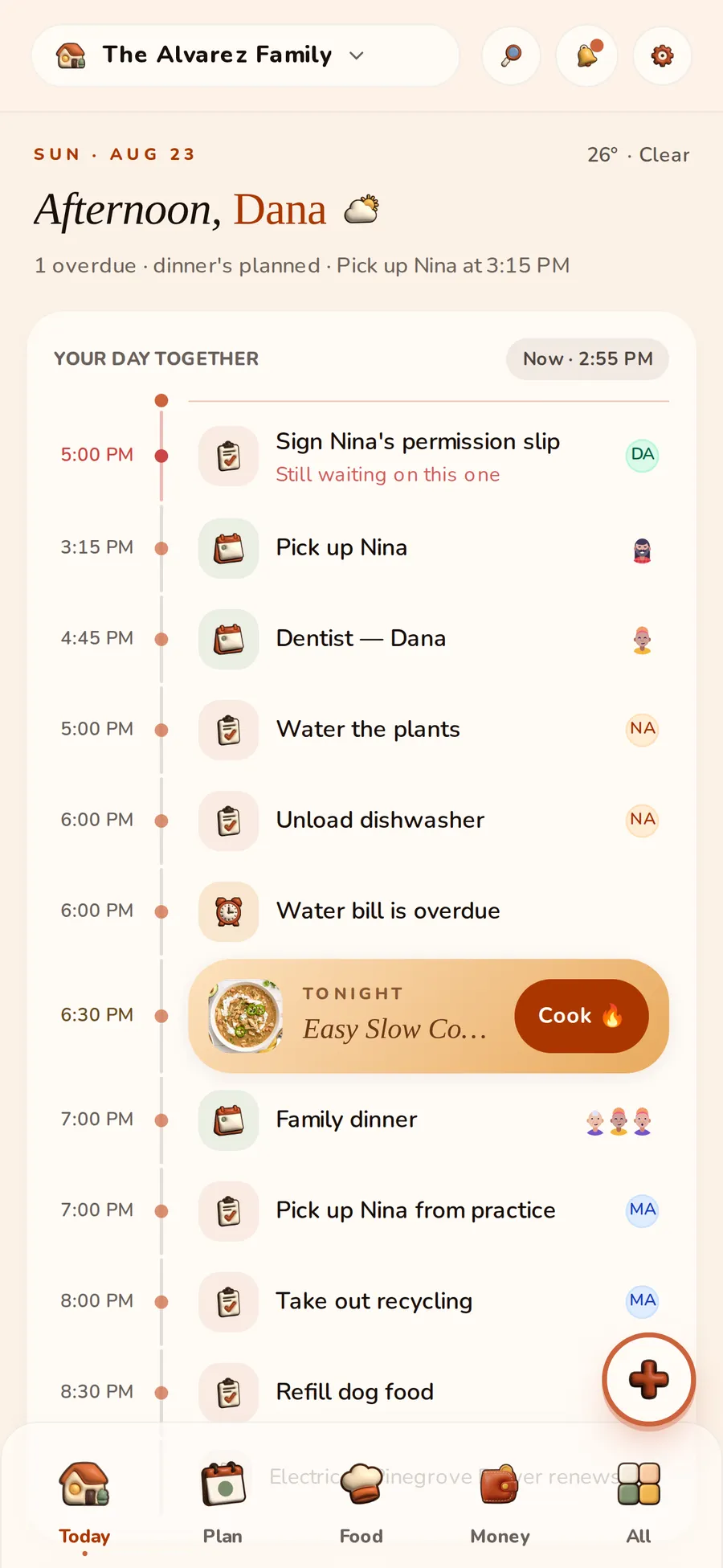

The HomyIQ Today screen shown in English

These are the real accessibility modes from the app — not a mock-up.

iPad · always on
Good morning, Sam
Take out the recyclingDue today · you
Kid view
Limited role
  • Only the modules you approve
  • No prices or money fields
  • Big, friendly checkboxes and streaks
Adult view
Full access
  • Create and assign across every module
  • Bills, budgets, and shared expenses
  • Capture, Shop Mode, and AI credits
Senior view
Large text + high contrast
  • Bigger type and tap targets
  • Calmer, simplified cards
  • The same home, easier to see
Read it in your language:

Read it in your language:

The heart of the home

The kitchen already knows.

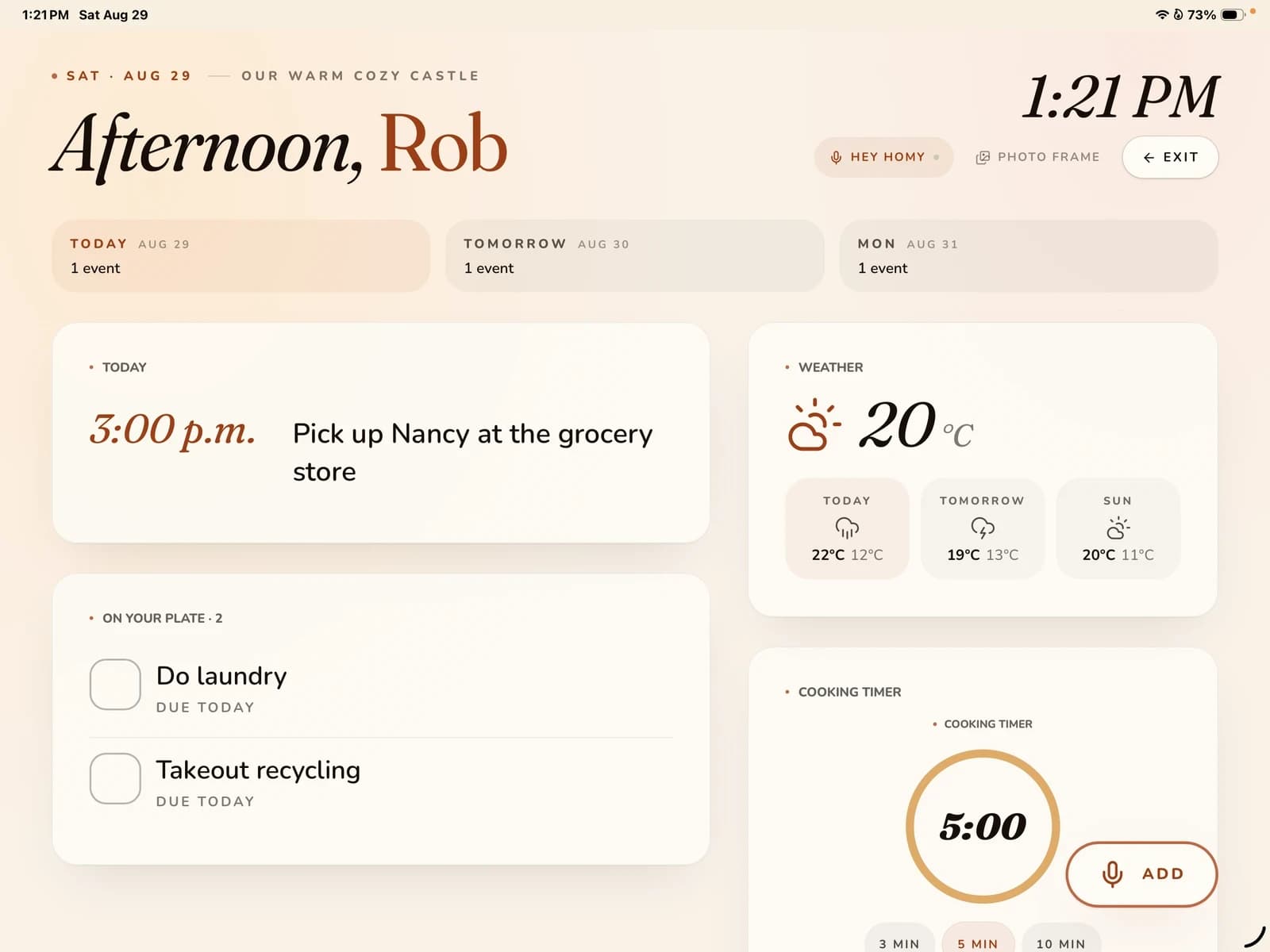
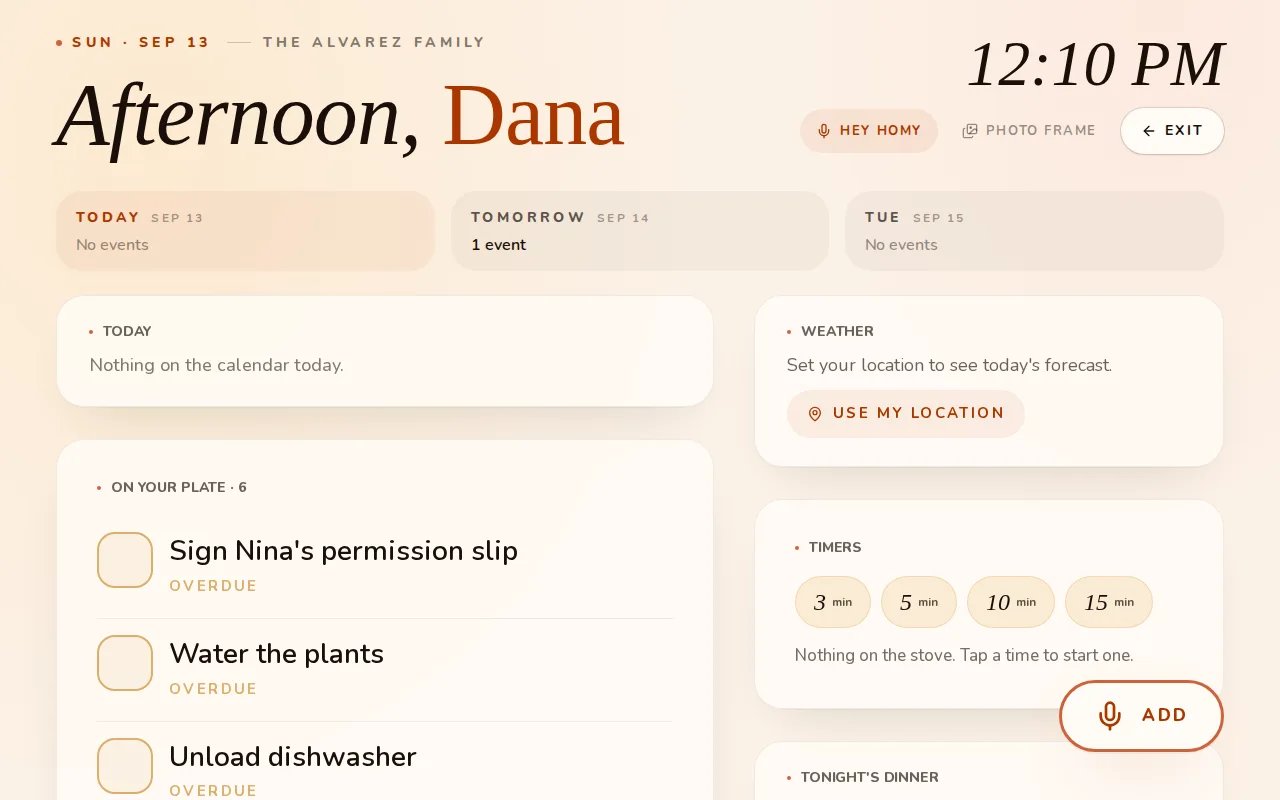
Mount a tablet, leave HomyIQ open, and the whole house sees the day — photos when it is quiet, Today when it matters, and “Hey Homy” when your hands are full.

The HomyIQ Kitchen Display resting on its quiet screen: the time and the weather
The HomyIQ Kitchen Display on a tablet
The HomyIQ Kitchen Display while “Hey Homy” waits for a voice command
  1. 1

    Photos when it is quiet

    Your own pictures, the time, and the weather. A screensaver that belongs to the house.

  2. 2

    Today when it matters

    The plan, tonight's dinner, and what is running low, readable from across the kitchen.

  3. 3

    “Hey Homy” when your hands are full

    Say it out loud and it lands on the right list. No tapping with floury fingers.

The Alvarez family · example household

Join the beta

Works on the tablet you already own.

Your home has layers.

  • Calendar
  • Tasks
  • Lists
  • Recipes
  • Documents
  • Notes
  • Saved Ideas
Your home stays yours

Private by design.

No ads. No selling. Your household is yours, and you can leave with everything.

  • No ads, no data brokers
  • Role-based access — kids never see the money
  • Documents in a private, access-controlled vault
  • Quiet by default — notifications respect your nights
From our home to yours

Built by a family, for families.

HomyIQ started with a fridge covered in paper and one parent carrying the whole schedule in their head. It's built independently — no ad company, no data broker — together with the founding families who use it every day and tell us, bluntly, what a real household needs.

— Rob, founder

Become a founding household

The first 500 households lock founder pricing: all of Premium for $29.99/yr, locked for your first two years. Help shape HomyIQ while it's young.

Claim founder pricing
Simple, honest pricing

Start free. Upgrade when it earns it.

Start free with no card — or take the 14-day Premium trial and feel the whole thing.

Free
$0

Everything a household needs to get organized.

Join the beta
  • Up to 3 members
  • Tasks, calendar, lists, and pantry
  • Manual bills and reminders
  • 10 documents in the vault
  • 10 free AI actions in total
Most families
HomyIQ Premium
$44.99/yr

Prices adjust to your region.

The whole home, fully unlocked.

Join the beta
Everything in Free, plus:
  • Up to 8 members
  • AI capture from photos, email and voice
  • Google Calendar & Tasks sync
  • Shared expenses, budgets, and bill auto-ingest
  • Unlimited documents and biometric app lock

Fair use: 500 AI actions a month. Most count as one; a long video or a multi-page receipt counts for more. What is free, and what is Premium?

Founding-household price: lock Premium at $29.99/yr for your first two years — first 500 households only.

Start Free needs no card. The 14-day trial requires one and continues into Premium unless cancelled — cancelling drops you back to Free, never to zero.

Good questions

Everything you might be wondering.

That's the only test that matters. HomyIQ makes the lazy path the organized path — capture takes seconds, the Today screen answers “what's next” at a glance, and kids get a simple view of just their stuff. Start free with up to 3 members and see if it sticks.

Less carrying. More living.

Free to start · works on phone, tablet, and desktop